
Listening to podcasts without YouTube Premium
If you enjoy or need to listen to podcasts without YouTube Premium, you can do so using a simple and secure browser. Depending on the operating system and device you want to listen on, you’ll need to install a dedicated browser. We recommend a solution tested by our employees: the Duckduck browser. You can read about it on their company website: duckduck.go . This browser allows you to avoid several annoying situations when using YouTube:
- you can turn off the screen and still listen
- You don’t need to have purchased YouTube Premium
- -you don’t have to use the YouTube app on your device at all, especially a mobile one.
Listening to podcasts without YouTube Premium – INSTRUCTIONS
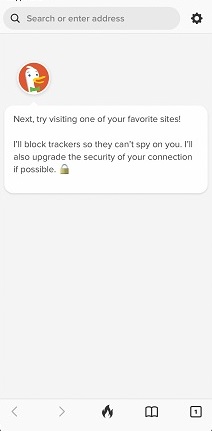
First, install the DuckDuck browser on your device – either from duckduck.go, the App Store, or the Google Play Store. Then, open the DuckDuck browser.
- open the website youtube.com
- search for the material you are interested in
- start playing it
- then use the window at the bottom of the screen (it is not mandatory to use it, you can collapse it and continue watching on YouTube, just swipe down from the top edge of the Duckduck message
- when the browser opens the video in its own window, start playing as usual using the YouTube icon on the video.
There will be no ads at this stage. You can also lock your screen now. If the content pauses, wake up the screen but don’t unlock it and click “Play” on the duckduck player. You can turn off the screen again and continue listening.
If you want duckduck to permanently open videos in its player, move the slider. You can undo this setting at any time while the screen is unlocked.
If you want to watch always watch or listen in duckduck player after setting the slider, the steps are as follows:
- open duck duck browser
- open the website youtube.com
- search for interesting material
- start playing the material
- the browser will open the video in its own window, start playing by tapping the YouTube icon, as usual on YouTube.
There will also be no ads now. You can also lock your screen now. If the content pauses, wake up the screen, but don’t unlock it, and click “Play” on the duckduck player. You can turn off the screen again and continue listening.
Need help?
- The official website of the manufacturer to download the browser: https://duckduckgo.com/app (on this page you will find links to the App Store and Google Play stores, depending on your device).
- Finally, consider iOS training courses in Warsaw. If you’re interested in iOS training courses led by instructor Grzegorz Sobótka from S Partners, check the company’s website for current offers and schedules or contact the office directly. These courses can cover Apple device support, Apple ID account management, iOS security, and best practices for working with iOS apps. For the latest information and dates, visit the S Partners website and contact their training department in Warsaw.